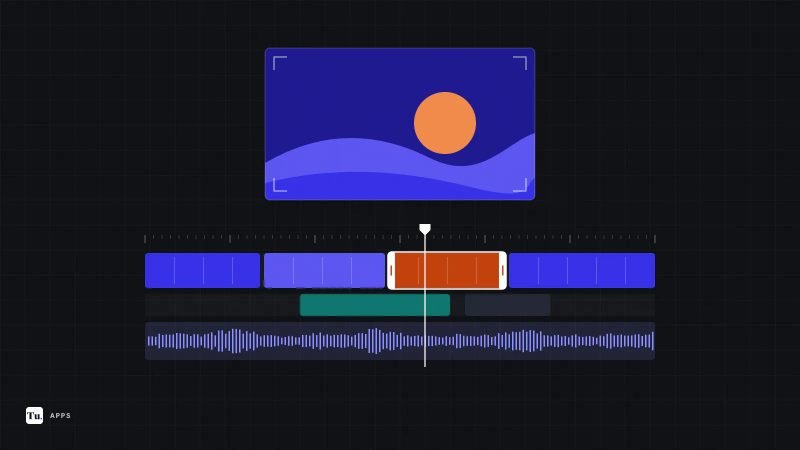
Phone video editors have split into two camps. One group is built for fast social clips, with templates, auto captions and trending effects. The other offers a real multi-track timeline, keyframes and color tools that hold up for longer projects. Choosing between video editing apps for Android mostly comes down to which camp you need, and how much you're willing to put up with ads, watermarks and subscriptions.
The picks below are based on current Google Play listings, developer documentation and support pages, checked in October 2026. Tech Usama hasn't run these editors through hands-on tests, so treat the opinions as researched recommendations.
The short version
| App | Pricing model | Editing style | Best for |
|---|---|---|---|
| Adobe Premiere | Free, paid AI and storage extras | Multi-track timeline | Most people, especially if you hate watermarks |
| CapCut | Free, Pro subscription | Multi-track, heavy on effects | Short-form social video |
| InShot | Free with ads, Pro upgrade | Simple, with overlay layers | Quick trims, music and text |
| KineMaster | Free with ads and watermark, subscription | Layer-based | Tablets and Chromebooks |
| PowerDirector | Free with ads, subscription | Multi-track timeline | Stock media and green screen work |
| VN | Free with ads, in-app purchases | Multi-track timeline | Creators who want LUTs and masks |
| LumaFusion | Paid upfront, optional extras | Six video plus six audio tracks | Longer, more serious projects |
| Edits | Free, in-app purchases | Clip-based, creator tools | Instagram Reels |
Our top pick for most people: Adobe Premiere
Adobe brought Premiere to Android in late September 2026, about a year after the iPhone version. The free app exports up to 4K with no watermark, shows no ads and doesn't require you to sign in. You get an unlimited multi-track timeline, frame-accurate trimming, speed effects including freeze frames, voiceover recording, and an Enhance Speech tool that cleans up background noise. Lightroom color presets work inside it too.
The catch: it needs Android 13 or later and at least 5GB of RAM, so older and budget phones are out. Generative AI features and cloud storage need paid Adobe credits or a plan. For everything else, it's the most generous free editor on this list.
For short-form social video
CapCut
CapCut is the default for TikTok-style editing, and it's still on Google Play in the US. It has keyframe animation, speed curves, optical-flow slow motion, chroma key, a multi-track layout and 4K 60fps export. The template library is the real draw if you edit to trends.
Watch for: CapCut is owned by ByteDance. A mid-2025 update to its terms of service drew criticism for the broad license it takes over content you upload, including drafts. If you edit client or commercial footage, read the current terms first. A growing share of effects and templates also sit behind CapCut Pro.
Edits
Instagram's Edits is free, exports in 4K without a watermark, and includes green screen and cutout backgrounds, automatic captions, voice enhancement and frame-precise trimming. It also folds in Reels insights and a trending-audio feed. It makes the most sense if Instagram is where your videos end up; for anything else, Premiere is the more flexible free choice.
InShot
InShot is the easiest of the group for cutting a clip, adding music and text, and exporting in the right aspect ratio. It also handles picture-in-picture overlays, chroma key and 4K 60fps export, and it doubles as a photo editor and collage maker. Free exports carry an InShot watermark that you can remove per export or permanently with Pro, and the free version shows ads.
For layered and multi-track editing
KineMaster
KineMaster supports stacked video, photo and GIF layers, keyframe animation, chroma key, multiple undo and 4K 60fps export, and it has a layout tuned for tablets and Chromebooks. KineCloud backs up projects so you can continue on another device. KineMaster's own support pages confirm the free version adds a watermark and shows ads; a monthly or annual subscription removes both.
PowerDirector
PowerDirector from CyberLink offers a multi-track timeline with keyframes, masks, blend modes and green screen editing. Its premium tier is where much of the value sits: stock music, footage and images cleared for commercial use, auto captions, cloud projects and an ad-free interface. If you regularly need stock media, that bundle can save you a separate subscription.
VN
VN pairs a multi-track timeline with masks, keyframed text and stickers, beat-synced templates, a built-in teleprompter and support for importing your own LUTs. It exports up to 4K at 60fps. The free version carries ads, and some AI tools and assets cost extra.
LumaFusion
LumaFusion is the closest thing to a desktop editor on Android: six video-and-audio tracks plus six audio-only tracks, video scopes, LUT support, frame rates from 18 to 240fps, editing straight from a USB-C drive, and Samsung DeX support. It's a paid app with an upfront price rather than a free download. Speed ramping and enhanced keyframing cost extra as a one-time purchase or through the optional Creator Pass subscription, which also adds stock media.
It's overkill for a 30-second clip, but if you cut interviews, short films or YouTube videos on a tablet, it's the most capable option here.
What about Google Photos?
For trimming a clip, stabilizing it or adjusting color before sharing, the editor built into Google Photos is often enough. Reach for a dedicated app only when you need multiple clips, music, text or transitions. The same "start with what you have" advice applies to stills; see our guide to photo editing apps for Android.
Before you commit to one
- Check the export screen first. Make a ten-second test project and export it. That shows you any watermark, resolution limit or ad before you've invested an afternoon.
- Read the subscription terms. Several of these apps lead with a free trial that rolls into an annual plan. You can cancel from Google Play under Payments & subscriptions.
- Mind your storage. 4K projects and cached previews fill phones quickly. Our guide to freeing up storage on Android shows where that space goes.
- Review permissions. An editor needs access to your videos and microphone, not your contacts or precise location. Our privacy settings checklist covers how to audit them.
If you want one recommendation: install Adobe Premiere if your phone meets its requirements. If it doesn't, InShot or VN will cover most everyday edits, as long as you can live with ads.
Sources
- Google Play listing: Adobe Premiere
- TechSpot: Adobe Premiere now available on Android, offering free 4K exports
- Google Play listing: CapCut
- Techloy: CapCut's latest terms of service raise questions about content ownership
- Google Play listing: Edits
- Google Play listing: InShot
- Google Play listing: KineMaster
- KineMaster Support: How do I use KineMaster without the watermark or ads?
- Google Play listing: PowerDirector
- Google Play listing: VN Video Editor
- Google Play listing: LumaFusion
- Google Play listing: Google Photos